
CARE TEAM GUIDE
Your phone. Your walkie. All accounted for.
Start of shift: check out
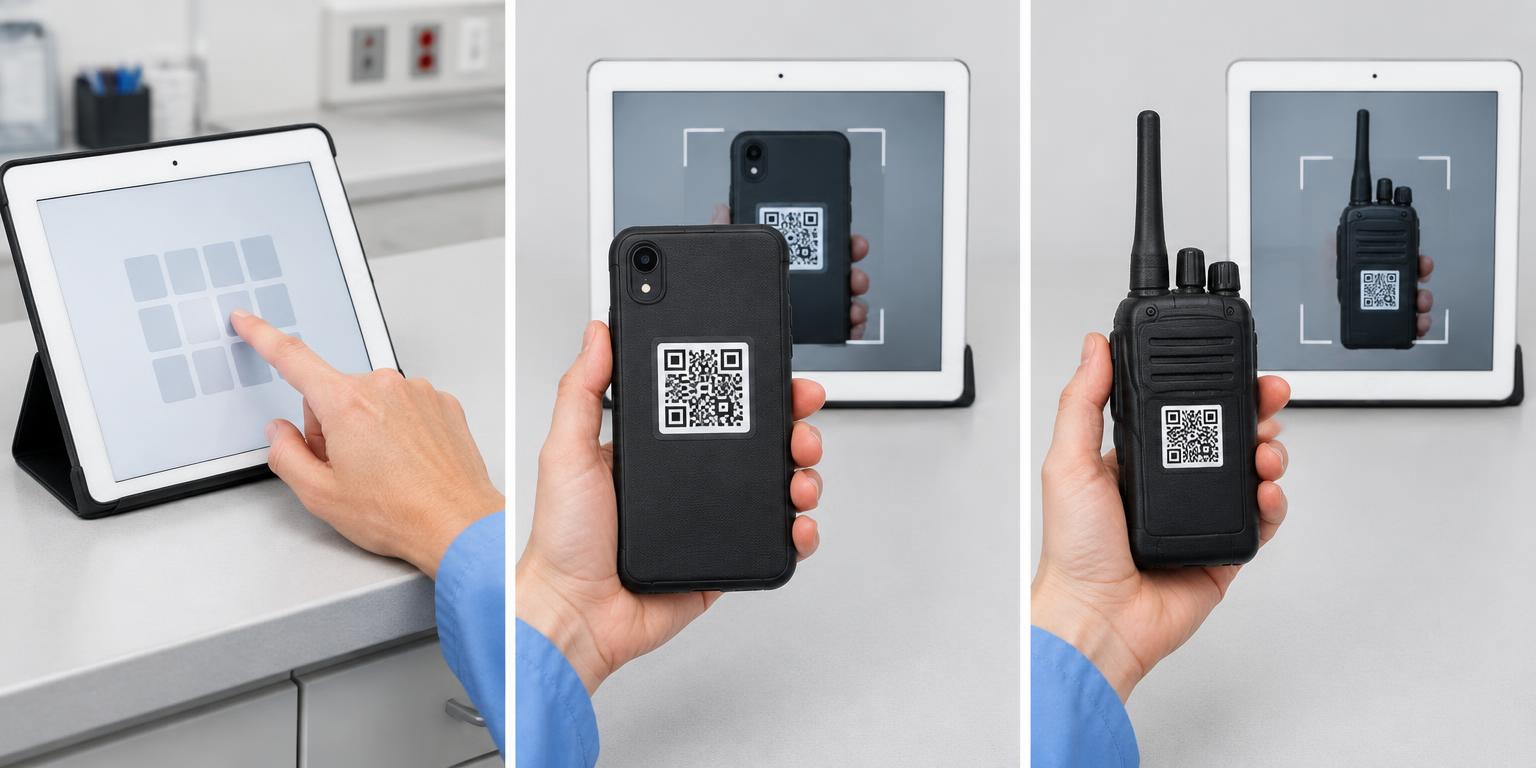
- 1
Enter your ID
Tap your employee ID number, then Go. Confirm your name on the next screen.
- 2
Scan your work phone
Hold the phone’s QR sticker in front of the tablet camera. Wait for the walkie screen.
- 3
Scan your walkie
Scan the walkie’s QR sticker. Wait for the green All set! message before leaving.
During your shift: verify
- Enter your employee ID and tap Go.
- Choose I still have them.
- Scan the same phone, then the same walkie, as shown above.
- Wait for Possession verified on the green screen.
End of shift: check in
- Enter your employee ID and tap Go.
- Choose Return equipment.
- Scan your assigned phone, then your assigned walkie, as shown above.
- Wait for Equipment returned. Thank you! on the green screen.
- Put both devices back in their designated charging locations.
If a device does not match or you cannot scan it, see your charge nurse. Do not swap equipment with another employee.
Go to equipment station